
Appearance
File Router Action
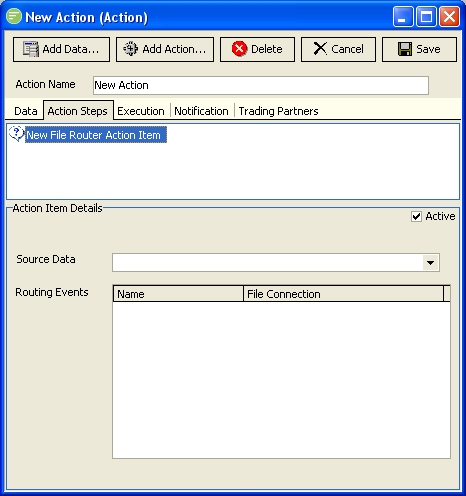
Fields
| Field Name | Description |
|---|---|
| Active | Select to make this step active. You can skip this step by deactivating it |
| Source Data | Select the File Definition whose file you wish to route to different locations |
| Routing Events | Create routing events to test conditions on whether to route the file. For each test you can assign a File Connection where the file will be routed to if the test succeeds. |
Details
Routing Events
Create routing events to test conditions on whether to route the file. For each test you can assign a File Connection where the file will be routed to if the test succeeds.
Use the Script Editor to enter you script code for the routing event test. The code should perform the necessary logic and set the Value parameter to either True or False. If True the file will be routed to the linked File Connection and the File Router Action will end and move to the next Action step. If False the file will not be routed to the linked File Connection and the next routing event in the list will be executed.