
Appearance
General Tab (File Definition)
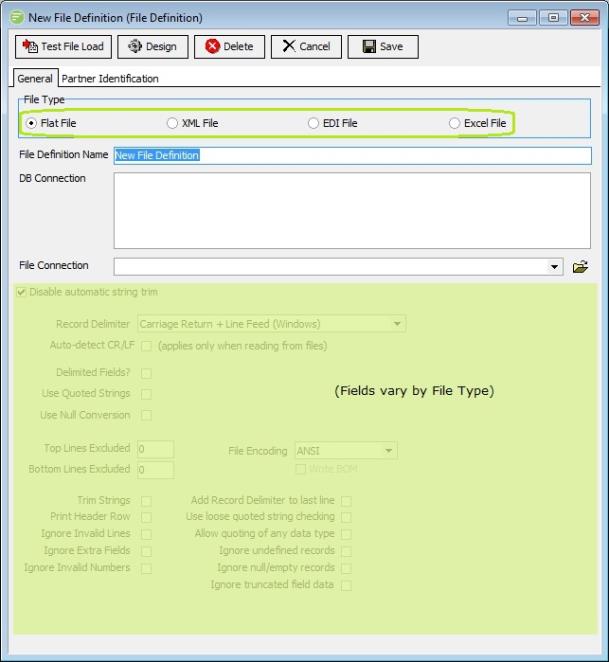
General Fields
| Field Name | Description |
|---|---|
| File Type | Select either Flat File, XML File, EDI File (EDIFACT or X12), or Excel File. Refer to these sections for more information on the fields presented by each option. |
| File Definition Name | A friendly name for the File Definition. |
| DB Connection | Select the DB Connection(s) used on this File Definition. This is a design time setting, and can be overridden with run time setting on the Action. |
| File Connection | Select the File Connection used on this File Definition. This is a design time setting, and can be overridden with run time setting on the Action. |
Details
File Type
Select either Flat File, XML File, EDI File, or Excel File. Refer to these sections for more information on the fields presented by each option
File Definition Name
A friendly name for the File Definition. This is the name that the definition will be known as throughout the configuration. You should enter something meaningful to help you recognise the definition.
DB Connection
Select the DB Connections used on this File Definition. This is a design time setting, and can be overridden with run time setting on the Action.