
Appearance
Parameter Editor
The parameter editor is used for creating and editing custom parameters against Maps.
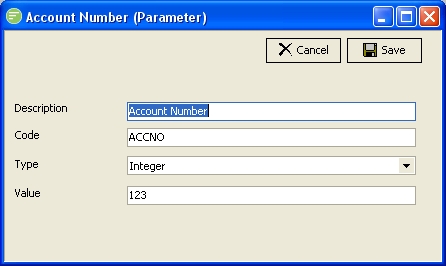
Fields
| Field Name | Description |
|---|---|
| Description | A friendly name for the Parameter |
| Code | A unique code for the Parameter. Flow will not allow you to create another parameter on the same Map with the same code. |
| Type | Select the data type of the Parameter |
| Value | Enter the value of the Parameter. The field will display an editor appropriate to the data type selected. |
Details
Description
A friendly name for the Parameter. This is the name that the Parameter will be known as throughout the configuration. You should enter something meaningful to help you recognise the Parameter.